





If I’m a new user, how do I get started?
Go to the homepage, new.schoolnotes.com, and complete the registration form with your chosen Account Name and a Password and a valid e-mail address. A link will be sent to that address which you must follow within 24 hours to complete your registration information and activate the account. After doing so, you can log into your account and begin to create SchoolNotes Pages. We have a number of tutorials available to guide you through the rest!When I search for my page as a Parent/Student my page doesn’t appear?
First, check to make sure that your school information is filled out on your ‘Account Management’ field. If it is, then it’s likely you may not have created a page yet. Please review our Creating a Page and Adding Content tutorial to get you started.My page was “flagged for adding a page containing inappropriate language”, how can I fix this so my page is active again?
For our users protection we have a Page Language Filter that will flag a page whenever it is updated with possibly inappropriate content. These pages are reviewed and approved by SchoolNotes administrators. We understand the need to have your pages available as soon as possible and monitor these flagged pages in as timely a manor as we can.I am having trouble pasting content into the editor, what am I doing wrong?
You can no longer paste content through the editor’s functions . In order to paste you will need to use the keyboard shortcut keys. Once you have copied the text you want to add into your page and you have your cursor where you want to place the text, press CTRL+V to paste the text.
Pasted MS Word content contains a lot of embedded styling that works well in MS Word, but behaves poorly on a website. Make sure to review your pasted information for any formatting issues.
Why aren’t my updates saving?
It’s possible that your updates are taking too long and the page is timing out. We recommend that you Save your work as you create your update. The internet is an unpredictable place and to prevent a loss of work (and a waste of your precious time!) it is a good idea to Save your work periodically while you are drafting your update.Can I get a previous version of my page back?
There is a feature in your SchoolNotes account which will allow you to restore your page to one of the last ten save points.Navigate to the page that you wish to restore and click 'Edit'. Once the editor loads you should see the following above your editor:

Click 'Restore' and you will be brought to a new screen that shows the last ten save points:
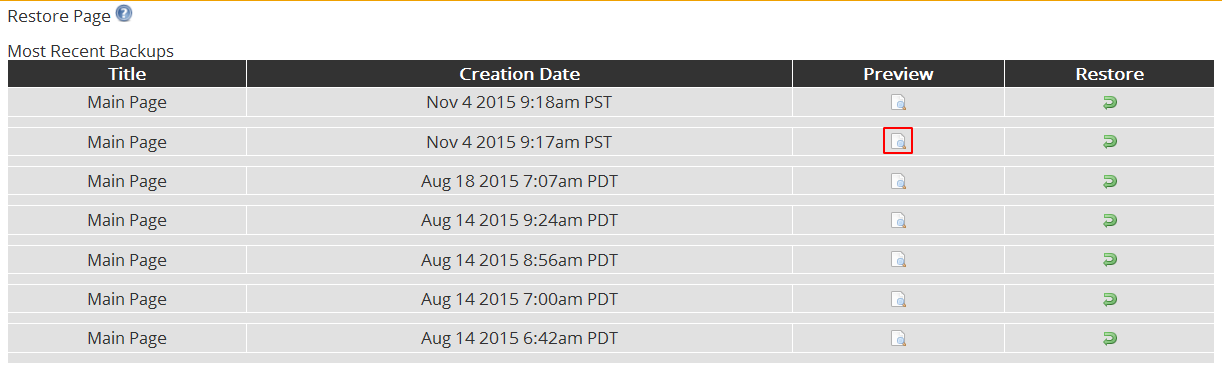
Here you can preview your last save points by click on the corresponding preview symbol. You will see a page preview like this:

*You can close the preview by clicking the red X symbol.
Select the save point that you would like to restore your page to and click the corresponding restore symbol:
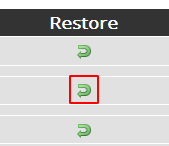
You will then be brought back to your page in 'Edit' mode. You should see your old page content within the editor window. You can edit the restored content or click 'Save' to complete the page update.
How do I reset my Page Visit Counter?
To reset the page visit counter, log into your account and select "Pages" in the left navigation column. Next to the name of the page, select "Edit". Beneath the edit box you will see: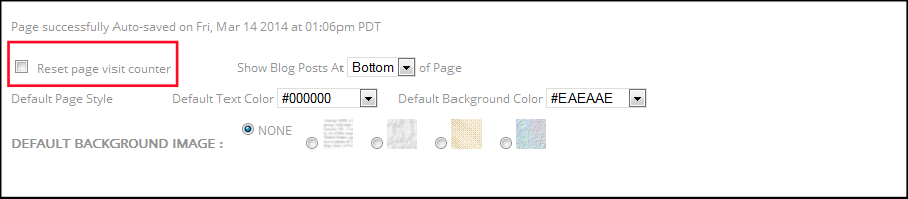
Check the "reset page visit counter" and then click "Save" and you are all set!
The time/date of my page updates is off, can this be corrected?
We have recently added a Time Zone setting to the site to correct this problem. To set your Time Zone you will need to click on the "Manage My Account" button:
The Time Zone field is at the bottom of the account settings section:
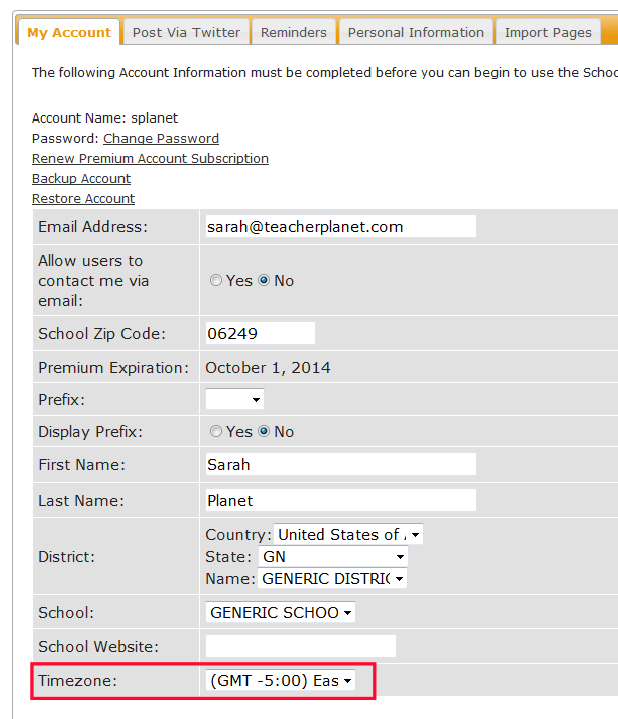
Simply select your time zone from the drop down menu and click "Save".


 Quick and easy to set up